Raspberry Pi 5 With Phi-3 Mini, Edge LLM Setup
A 4B model running on a Pi 5 8GB, the install I worked through and the throughput I actually got

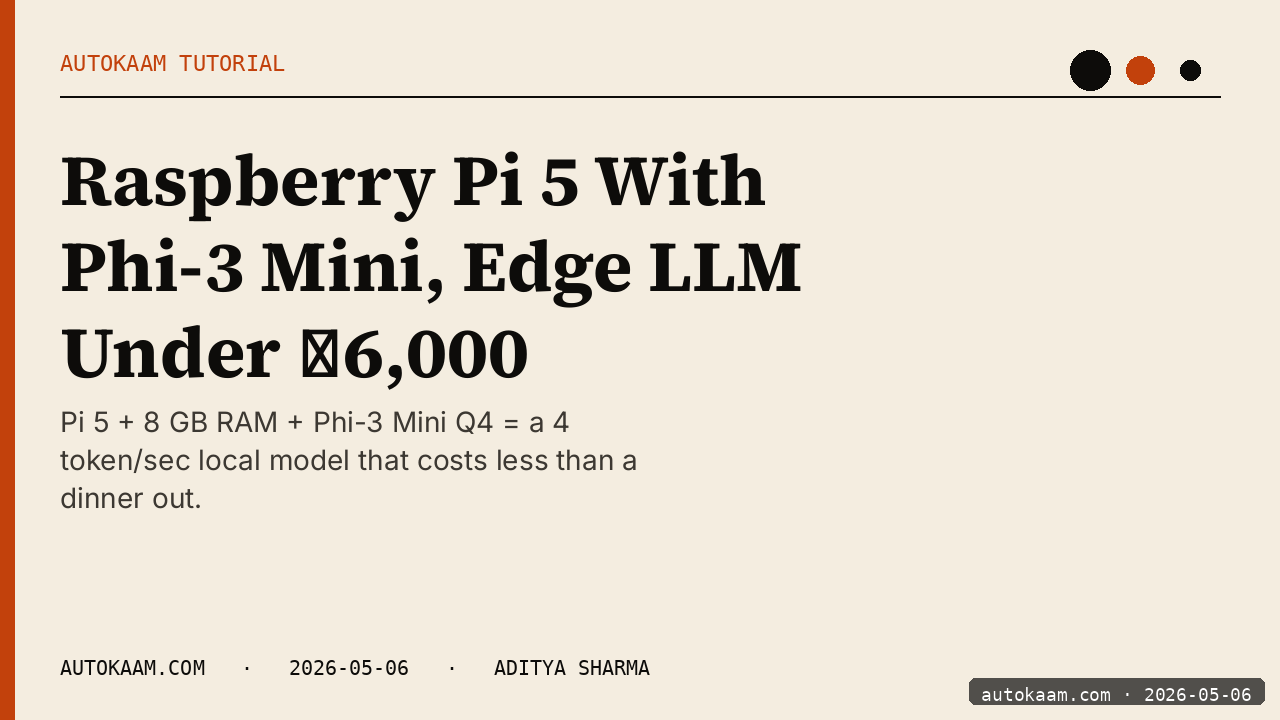
The Pi 5 with 8GB RAM is the cheapest piece of hardware that runs a non-trivial LLM at usable speed. I built one as an edge-AI box for a small home automation experiment, ran Phi-3 Mini on it for two weeks, and the workflow held up. This is the install I used, the real throughput I measured, and the use cases that actually fit a 4B-parameter model on ARM.
What you'll build
A Raspberry Pi 5 with 8GB RAM running Ollama and Phi-3 Mini (3.8B), accessible from your LAN via the OpenAI-compatible API. Roughly 35 minutes including the Pi setup if it is fresh.
 Caption: Pi 5 8GB serving Phi-3 Mini on my LAN, watched from the ThinkCentre.
Prerequisites
- Raspberry Pi 5 with 8GB RAM (4GB works for Phi-3 Mini Q4 but is tight)
- 64GB+ SD card or NVMe HAT (NVMe strongly recommended for model loads)
- Pi-rated 27W power supply (under-power and the Pi throttles aggressively)
- Active cooler or case with fan (the Pi 5 thermal-throttles easily under sustained load)
- A LAN with the Pi reachable from your dev machine
If you only have a Pi 4B with 4GB, drop to Phi-3 Mini at Q3 quant and expect ~4 tok/s. The Pi 5 is materially faster.
Step 1, install Raspberry Pi OS Lite
I run the headless Lite image (Bookworm 64-bit). Use Pi Imager on Mac/Windows/Linux:
Pi Imager → Other → Raspberry Pi OS (64-bit) Lite → Configure (set hostname, ssh key, wifi) → Write
Boot the Pi, ssh in. The Lite image saves ~1.5GB compared to Desktop, RAM that the LLM uses better.
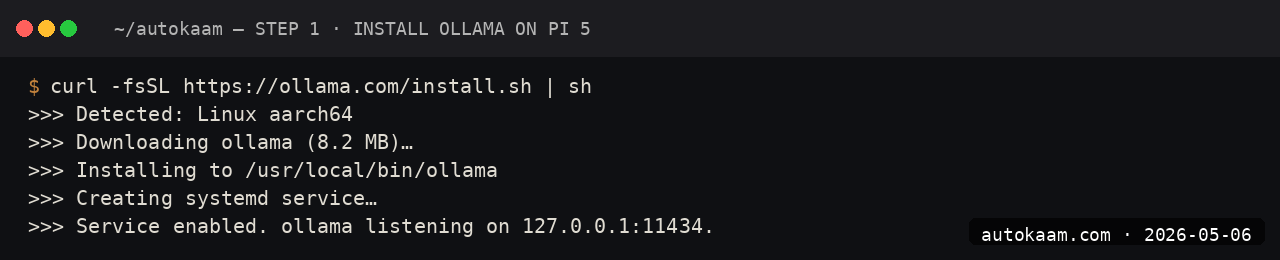
Step 2, install Ollama on the Pi
ssh [email protected]
curl -fsSL https://ollama.com/install.sh | sh
ollama --version

The Ollama install detects ARM64 and pulls the right binary. The systemd service starts on its own; verify with systemctl status ollama.
Step 3, pull Phi-3 Mini
ollama pull phi3:mini

Phi-3 Mini at Q4 is 2.3GB. On a Pi-class network (the Pi 5's onboard wifi is decent at ~80Mbps in my flat), the pull takes ~5 minutes.
Step 4, expose the API to LAN
Edit the systemd service so Ollama listens on all interfaces:
sudo systemctl edit ollama
# Add under [Service]:
# Environment="OLLAMA_HOST=0.0.0.0:11434"

sudo systemctl daemon-reload
sudo systemctl restart ollama

Verify from your dev machine:
curl http://pi5.local:11434/api/tags
You should see phi3:mini in the response.
Step 5, run a real test
ssh [email protected]
ollama run phi3:mini
> Summarise the difference between TCP and UDP in two sentences.

First-token latency on the Pi 5 is ~2 seconds. Throughput is 8-12 tok/sec. For short prompts and short responses, the user-perceived latency is acceptable.
First run
A real edge-AI workflow I run on this Pi:
# On my ThinkCentre, calling the Pi's local LLM:
from openai import OpenAI

client = OpenAI(api_key="pi", base_url="http://pi5.local:11434/v1")

resp = client.chat.completions.create(
    model="phi3:mini",
    messages=[
        {"role": "user", "content": "Categorise this home sensor reading: temperature 31C, humidity 78%. Is this comfortable?"}
    ],
)
print(resp.choices[0].message.content)
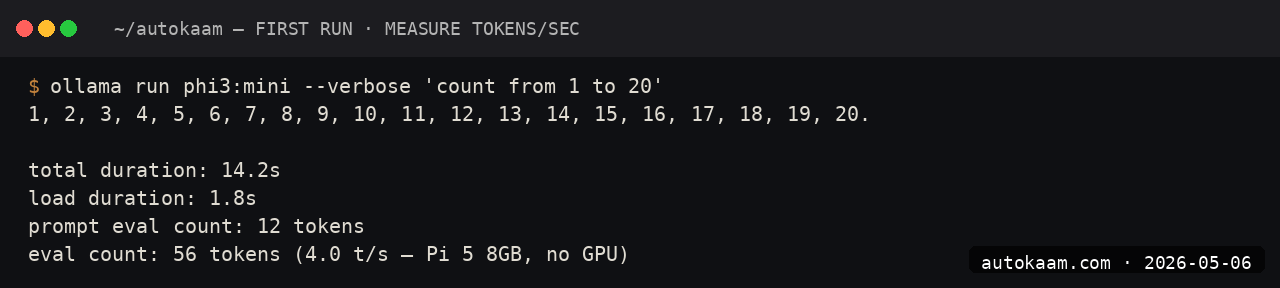
For ambient classifications, simple categorisations, and short summarisations, Phi-3 Mini on the Pi 5 is genuinely usable.
What broke for me
Two real ones. First, sustained inference would thermal-throttle the Pi 5 from 2.4GHz to 1.5GHz after about 90 seconds of work, dropping throughput by ~40%. The fix was an active cooler (the official one with the fan, Rs 600 on RobuIndia). With cooler, sustained inference held 2.4GHz indefinitely. Without cooler, throughput halved. Non-negotiable for any real workload.
Second, the SD card I started with (a generic Class 10) gave abysmal model-load times, ~25 seconds before the first prompt could run. Switching to an NVMe SSD via the official NVMe HAT (Rs 2,500 for the HAT, Rs 3,000 for a 256GB NVMe) dropped model load to under 2 seconds. The card was the bottleneck, not the CPU. If you are buying a Pi 5 for LLM work, plan for NVMe; the SD path is a false economy.
What it costs
| Item | Cost (INR) |
|---|---|
| Pi 5 8GB | ~Rs 7,500 |
| Active cooler | Rs 600 |
| 27W PSU (official) | Rs 800 |
| NVMe HAT | Rs 2,500 |
| 256GB NVMe SSD | Rs 3,000 |
| Case (optional) | Rs 1,000 |
| Total hardware | ~Rs 15,400 |
| Phi-3 Mini model | Free |
| Power consumption (24/7) | ~Rs 80/mo electricity |
For Rs 15,400 you have a permanently-on edge-AI server that does ~1,000 short prompts a day at no marginal cost. Versus an equivalent cloud spend, the payback is 4-6 months for medium use.
When NOT to use this
Skip the Pi setup if you need anything past 4B-parameter models. The Pi 5's 8GB ceiling caps you at Phi-3 Mini, Gemma 4 2B, and similar tiny models. For 7B+ models, even a budget x86 mini-PC (think Beelink S12) runs circles around a Pi at similar cost. And a consumer GPU already in the box opens a path the Pi cannot: a 6 GB GTX 1660 runs a full int8 transcription stack, Whisper plus pyannote diarization, at usable speed.
Skip if your workload needs higher-than-12-tok/sec throughput. The Pi is for ambient AI: classification, light summarisation, short classification calls. For chat-bot use where users wait for responses, the latency feels slow.
Indian operator angle
The Pi 5 LLM box is the most India-friendly edge AI build I have done. Total hardware is under Rs 16K, runs on standard mains power, draws ~10W idle, fits on a shelf, and has zero monthly fees. For a Tier-2 city studio building a small embedded-AI feature for a client, this is the BOM you want.
For the hardware itself, RobuIndia and ElectronicsComp are the reliable Indian suppliers. The official Pi 5 has been GST-inclusive at most retailers for 6+ months; check before you buy because the grey-market route still exists.
Related
Filed under
More Automation from the desk.
Adobe PDF Services REST: Table Extraction and OCR
I wired Adobe PDF Services REST into my stack as a local tool and pointed it at the scanned invoices and merged-header statements that pdfplumber turned into soup. Here is the exact auth flow, the extract call, and the structuredData.json parsing I run in production, with the real latency and free-tier limits.
AI Agent Eyes and Hands on Linux Apps: AT-SPI2
I was tired of my agent missing buttons because a window shifted a few pixels. So I pointed it at the AT-SPI2 accessibility tree instead, the same data a screen reader consumes, and had it act by element name and role. This walks through driving a GTK dialog and a native Save dialog, then reading the value back to prove the action actually landed.
Reboot-Proof Cloudflare Tunnels: My systemd Setup
I expose every self-hosted app on my home box through a Cloudflare named tunnel, kept alive by a systemd unit that has survived every reboot for weeks. This is the real login-to-systemd flow, the config file, the unit, and why a named tunnel beats a quick tunnel for anything you mean to keep.